Step A — RCM generation
RCM Generation creates the planning foundation for the audit by aligning risks, controls, domains, and key identifiers into a structured Risk and Control Matrix.
At a glance
Generate a tailored RCM using the audit setup, selected framework, and the control inventory.
Audit topic, memo, regulations or guidelines, and the underlying control inventory.
A reviewable RCM table that links process, risk, domain, control, and control attributes.
The RCM becomes the basis for Test Step Generation, Evidence List Generation, and Walkthrough Questions.
What RCM Generation does
The first planning step creates a Risk and Control Matrix that translates the audit scope into a working structure for the rest of the engagement. This output helps auditors see which processes are in scope, which risks are being addressed, how controls are categorized, and which control attributes should carry forward into later steps.
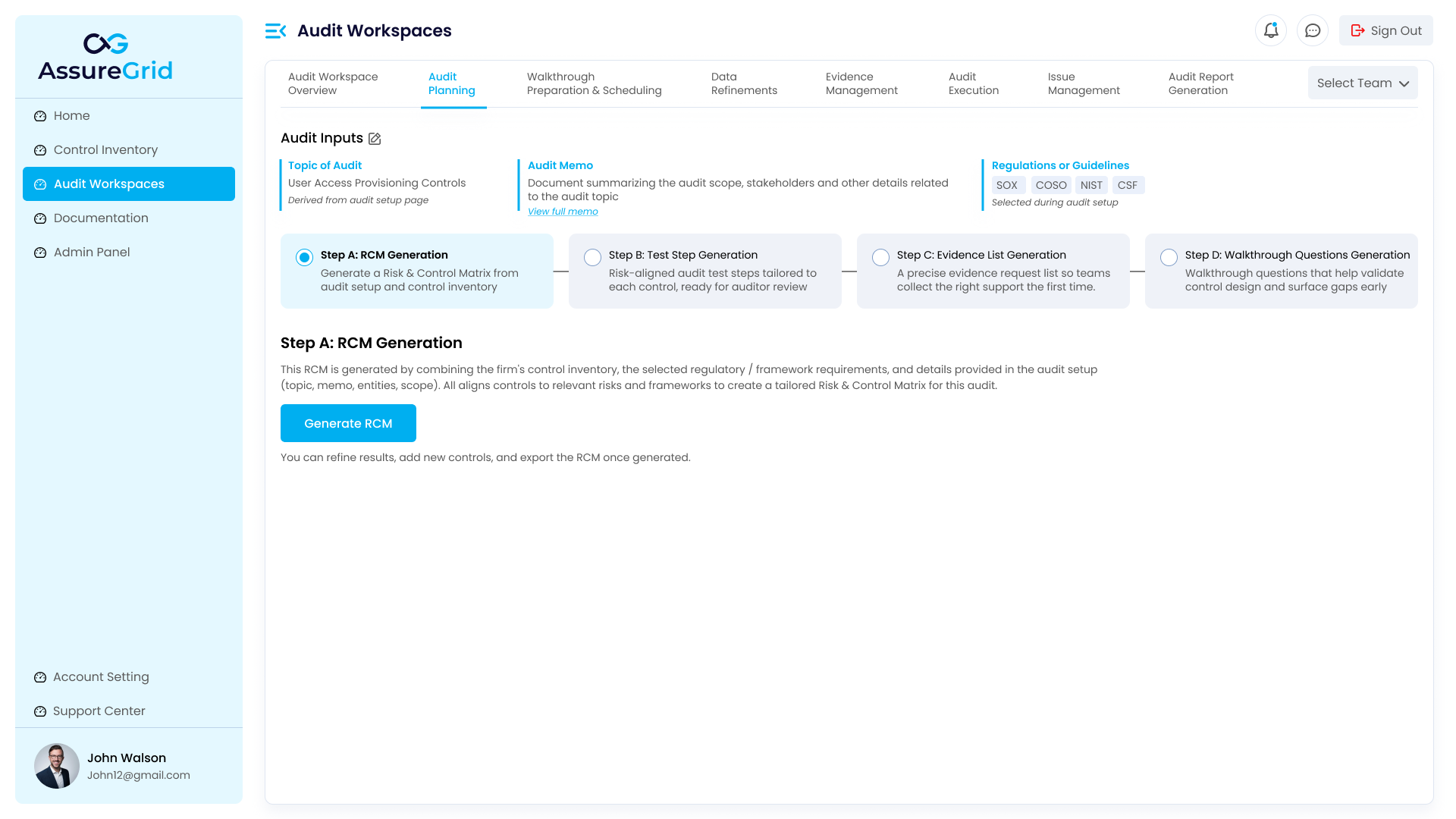
In AssureGrid, the step is driven from the shared audit inputs displayed at the top of the page. The user can review the topic of audit, memo, and regulations or guidelines before generation begins.
Starting the generation process
-
Review the audit inputs shown in the header area and confirm the selected scope is correct.
-
Select Step A: RCM Generation in the planning ribbon if it is not already active.
-
Use the Generate RCM action to start creation of the matrix.
-
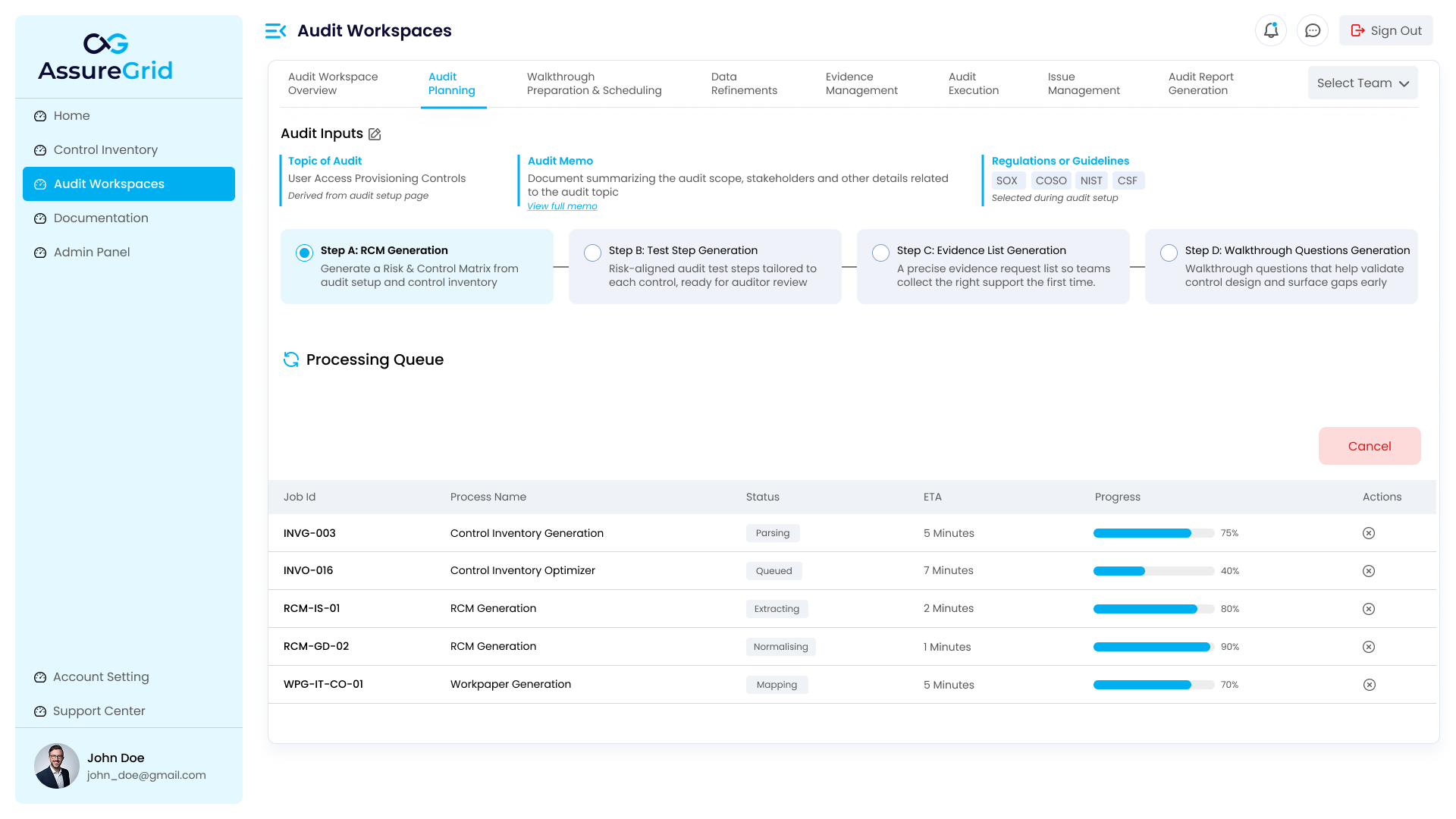
Monitor status while the job is being processed and wait for completion before reviewing the output.
Because generation is asynchronous, the system can queue, parse, extract, or normalize information before it produces the final output. This keeps large planning jobs manageable and gives users transparency into the state of the process.
Reviewing the generated RCM
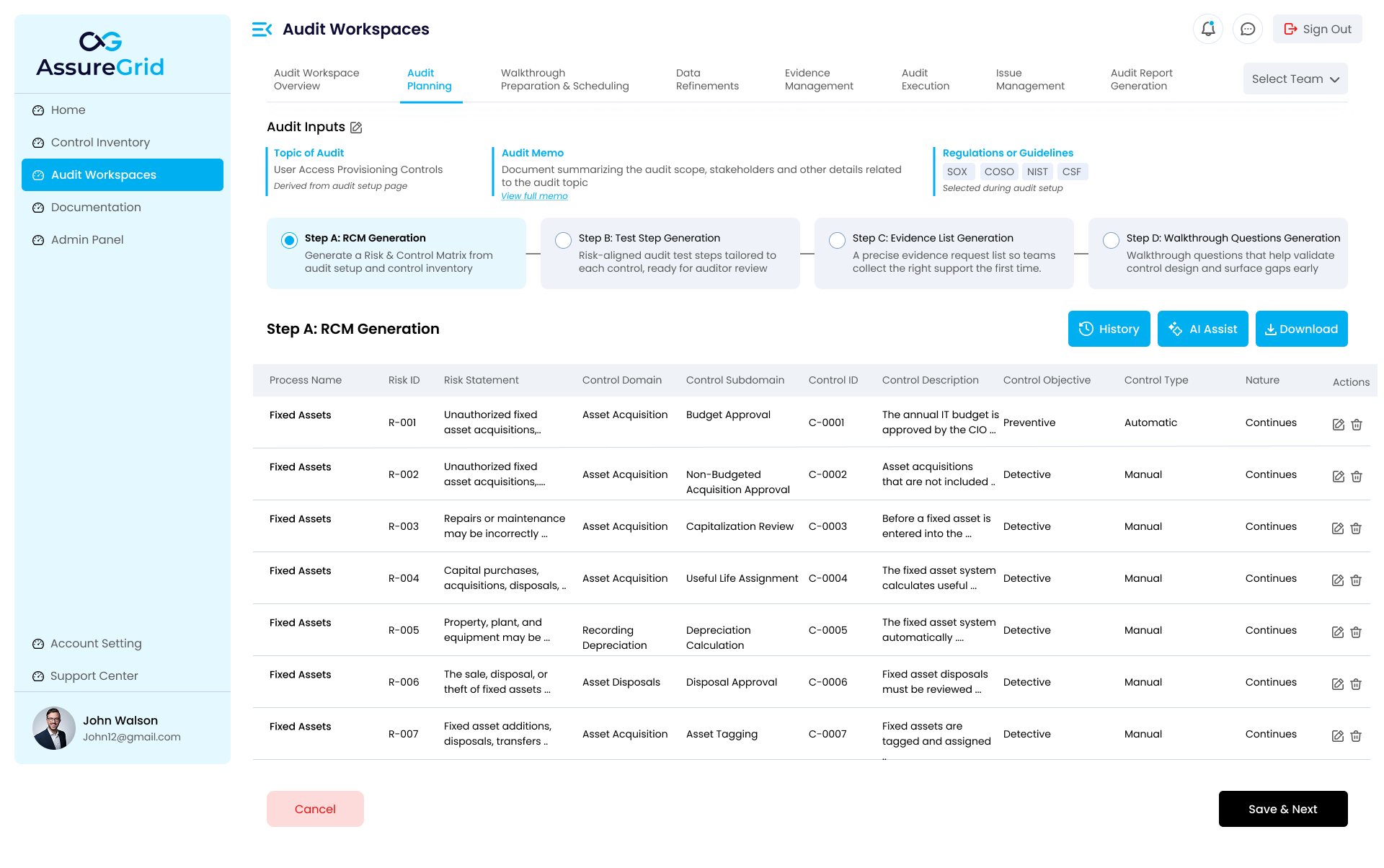
Once generation completes, AssureGrid presents the RCM in table form. The table is designed for structured review and typically includes the process name, risk ID, risk statement, control domain, control subdomain, control ID, control description, control objective, control type, and nature.
This layout allows auditors to verify that the correct risks are represented, that controls are categorized appropriately, and that the matrix is strong enough to support test step and evidence design in later stages.
What to validate before saving
-
Risk statements are relevant to the audit scope and are not overly broad or duplicative.
-
Control descriptions are specific enough to be testable and understandable by reviewers.
-
Control domain and subdomain values are consistent with the control inventory taxonomy.
-
Control IDs are mapped correctly and can be referenced in downstream planning steps.
-
Control objective, control type, and nature fields are reasonable for the control described.