Walkthrough preparation and scheduling
How users prepare walkthrough sessions, attach meeting links, manage bot participation, and transition structured session output into downstream refinement review.
At a glance
Prepare and manage walkthrough sessions so live process discussions can be captured, synced, and converted into structured inputs for refinement.
Completed planning outputs, identified stakeholders, and a valid meeting link or scheduling details for the walkthrough session.
A recorded and synced walkthrough session with session metadata, generated notes, and readiness for downstream refinement review.
Synced walkthrough content becomes the source input for Data Refinements, where users review suggested updates to RCMs, test steps, and evidence requirements.
What Walkthrough Setup & Scheduling does
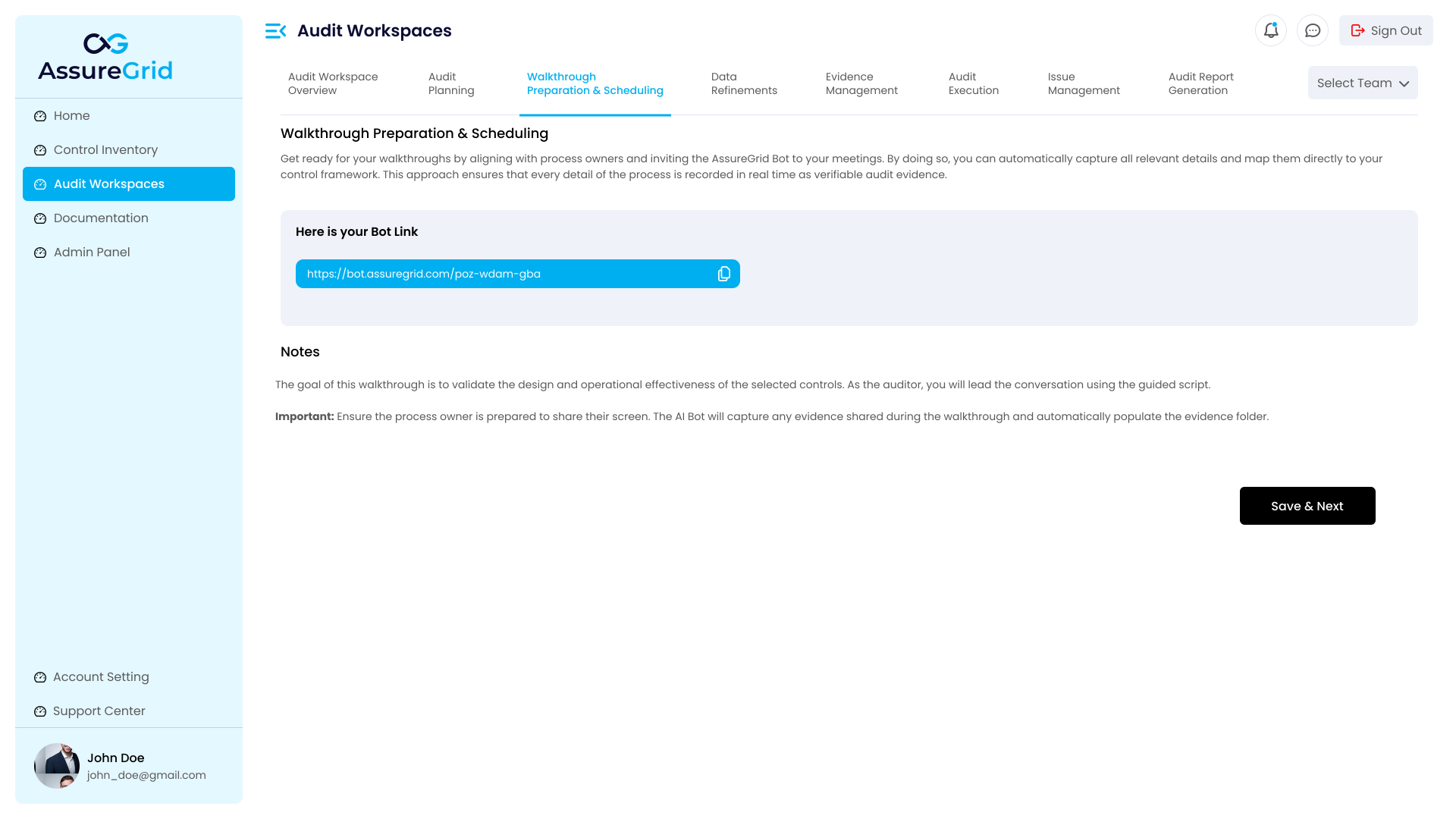
The Walkthrough Setup & Scheduling stage is the operational handoff from planning to live interaction. In earlier planning stages, the team generates the risk and control matrix, test steps, evidence requests, and walkthrough questions. In this stage, those planning artifacts are put into action through live meetings with control owners, process stakeholders, and other subject matter participants.
AssureGrid gives users a structured workspace to add meeting links, optionally schedule sessions, attach the bot, monitor session states, and sync recordings after the discussion is complete. The goal is not only to host the session, but to preserve the conversation in a way that can be reviewed and reused downstream.
Why this stage matters
-
It connects static planning outputs to live process validation and stakeholder discussion.
-
It captures meeting context that may clarify control ownership, operation, timing, evidence sources, or exceptions.
-
It creates a controlled record that can be synced and used to produce refinement suggestions instead of relying on ad hoc notes.
-
It helps audit teams prepare for execution with stronger context before moving into evidence and testing activities.
Main areas of the Walkthrough page
-
Audit context header showing the current workspace and the planning outputs already created for the engagement.
-
Meeting link entry area where the user adds the external call URL that will be associated with the walkthrough.
-
Optional schedule fields for date and time when the implementation supports scheduled bot participation.
-
Attach Bot action used to connect the session to the platform workflow.
-
Meeting Sessions table showing current and prior sessions, status, timestamps, and follow-up actions such as Sync.
-
Generated notes or checklist area populated after processing so users can confirm whether the conversation has been captured successfully.
-
Save & Next action used once the session is complete and synced, allowing the user to continue into Data Refinements.
Starting a walkthrough session
-
Open the relevant audit workspace and navigate to Walkthrough Setup & Scheduling from the workflow ribbon.
-
Confirm that the workspace context is correct and that the planning outputs already reflect the intended scope before inviting stakeholders into the live discussion.
-
Paste the external meeting URL into the meeting link field. This link acts as the connection point for the session.
-
If scheduling is enabled for your implementation, enter the date and time so the walkthrough is associated with the correct planned session window.
-
Select Attach Bot to register the session with AssureGrid. Depending on the implementation, the bot may join immediately, wait for the scheduled time, or mark the meeting as an attached unscheduled session.
-
After the walkthrough is complete, return to the Meeting Sessions table and confirm the session appears with the expected status.
-
Use Sync for the relevant session so the platform can process the recording and generate downstream notes and refinement suggestions.
-
Review any generated notes or checklist prompts, then use Save & Next only after the session is fully processed and ready for downstream review.
Typical meeting session states
| State | Meaning |
|---|---|
| Linked / Attached | The meeting URL has been added to the workspace and associated with the walkthrough stage. |
| Scheduled | A date and time have been assigned and the session is waiting for the planned start window. |
| In Progress | The session is active or has recently started and the platform is waiting for completion. |
| Completed | The live discussion has ended and the recording is available for follow-up processing. |
| Ready to Sync | The session can be processed so that notes, summaries, and refinement suggestions can be generated. |
| Synced / Processed | The platform has ingested the walkthrough content and made it available for downstream refinement review. |
Generated notes and checklist outputs
Once a session is processed, the page may show generated notes, highlights, or checklist reminders tied to the walkthrough conversation. These outputs help users verify that the meeting was captured correctly and identify whether any topics require follow-up. They also act as a bridge into the Data Refinements stage, where users compare AI-suggested updates against the original planning artifacts.
Multiple walkthrough calls
A single workspace may contain multiple walkthrough sessions. This is especially useful when different stakeholders are interviewed separately, when a follow-up discussion is needed after the first call, or when the scope spans multiple control owners. AssureGrid allows users to manage those sessions in one workspace so that all related walkthrough activity remains tied to the same audit record.
What to validate before moving forward
-
The meeting link is correct and tied to the intended session.
-
The walkthrough session appears in the table and the status reflects the actual meeting progress.
-
Any recording or bot-based capture process has completed successfully.
-
Sync has been run for the relevant session where required.
-
Generated notes or checklist outputs are present and appear reasonable.
-
The workspace is ready to move into Data Refinements without missing live discussion context.
Best practice: Treat Walkthrough Setup & Scheduling as a controlled capture step rather than a calendar utility. The highest-value outcome is not just that the meeting happened, but that the session was properly recorded, synced, and converted into structured audit context for downstream review.
Downstream use of walkthrough output
The output of this stage is not final evidence or a completed workpaper. Instead, it is structured walkthrough input that informs refinement review. Once the session is synced, AssureGrid can analyze the walkthrough and propose updates to earlier planning artifacts. This makes the walkthrough stage the source bridge between what the team expected during planning and what was actually learned during live discussion.