Data refinements overview
How users review, compare, approve, or manually adjust AI-suggested changes to planning outputs after walkthrough sessions are captured and processed.
At a glance
Review AI-suggested updates generated from walkthrough session inputs and decide whether to accept, reject, or manually refine the proposed changes.
A completed walkthrough session that has been recorded, synced, and processed in the Walkthrough Setup & Scheduling stage.
Reviewed and approved refinements to planning artifacts such as the RCM, test steps, and evidence requirements.
Approved refinements improve the accuracy of later evidence collection, execution activity, and reporting by ensuring that planning artifacts reflect validated walkthrough insights.
What Data Refinements does
Data Refinements is the controlled review stage where AssureGrid turns live walkthrough input into reviewable planning updates. Planning artifacts are typically created before live stakeholder conversations take place. Once those conversations occur, the platform may detect clarifications, exceptions, additional control detail, or process changes that should be reflected in the planning package.
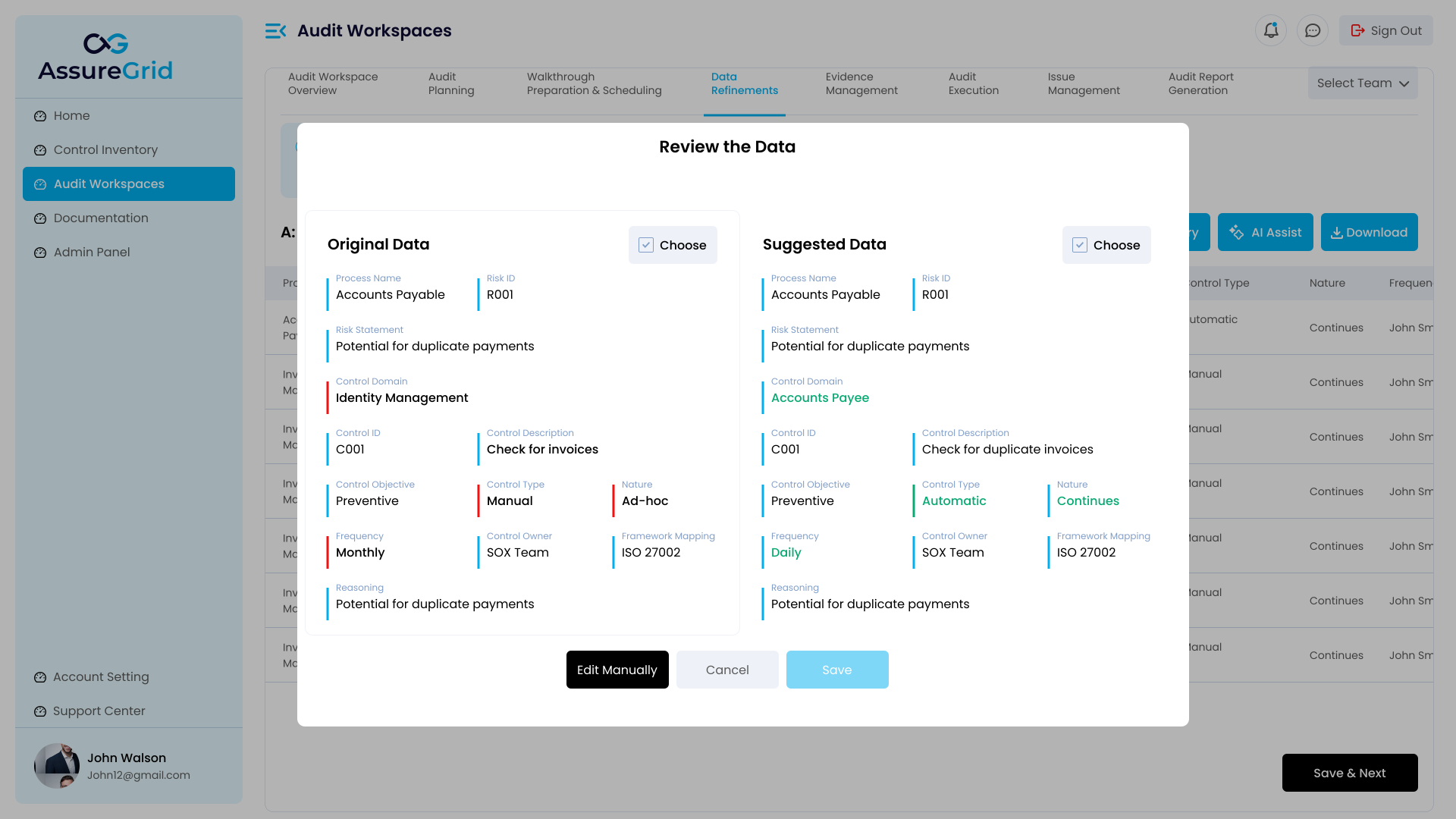
Rather than replacing content automatically, AssureGrid surfaces suggested updates and allows users to compare the original version with the suggested version. This preserves reviewer control and makes the refinement process auditable.
Why this stage matters
-
It prevents live walkthrough insights from being lost after the meeting ends.
-
It keeps planning artifacts current as new information is validated during stakeholder discussions.
-
It creates a structured review point before updates are committed to the audit record.
-
It reduces the risk of carrying outdated assumptions into evidence collection, execution, and reporting.
How refinement suggestions are created
-
A walkthrough session is completed and recorded in the Walkthrough Setup & Scheduling stage.
-
The user runs Sync or otherwise confirms that the session has been processed by the platform.
-
AssureGrid analyzes the session content, extracts relevant points, and maps those points to planning artifacts that may require updates.
-
Suggested refinements are produced for the applicable stages, such as the RCM, test steps, or evidence list.
-
Users review the suggestions in Data Refinements before any changes are carried forward.
Refinement steps
| Refinement area | What is reviewed |
|---|---|
| RCM refinements | Proposed updates to risk statements, control descriptions, ownership context, scope detail, or taxonomy mapping. |
| Test step refinements | Suggested changes to testing procedures so they better align to how the control actually operates in practice. |
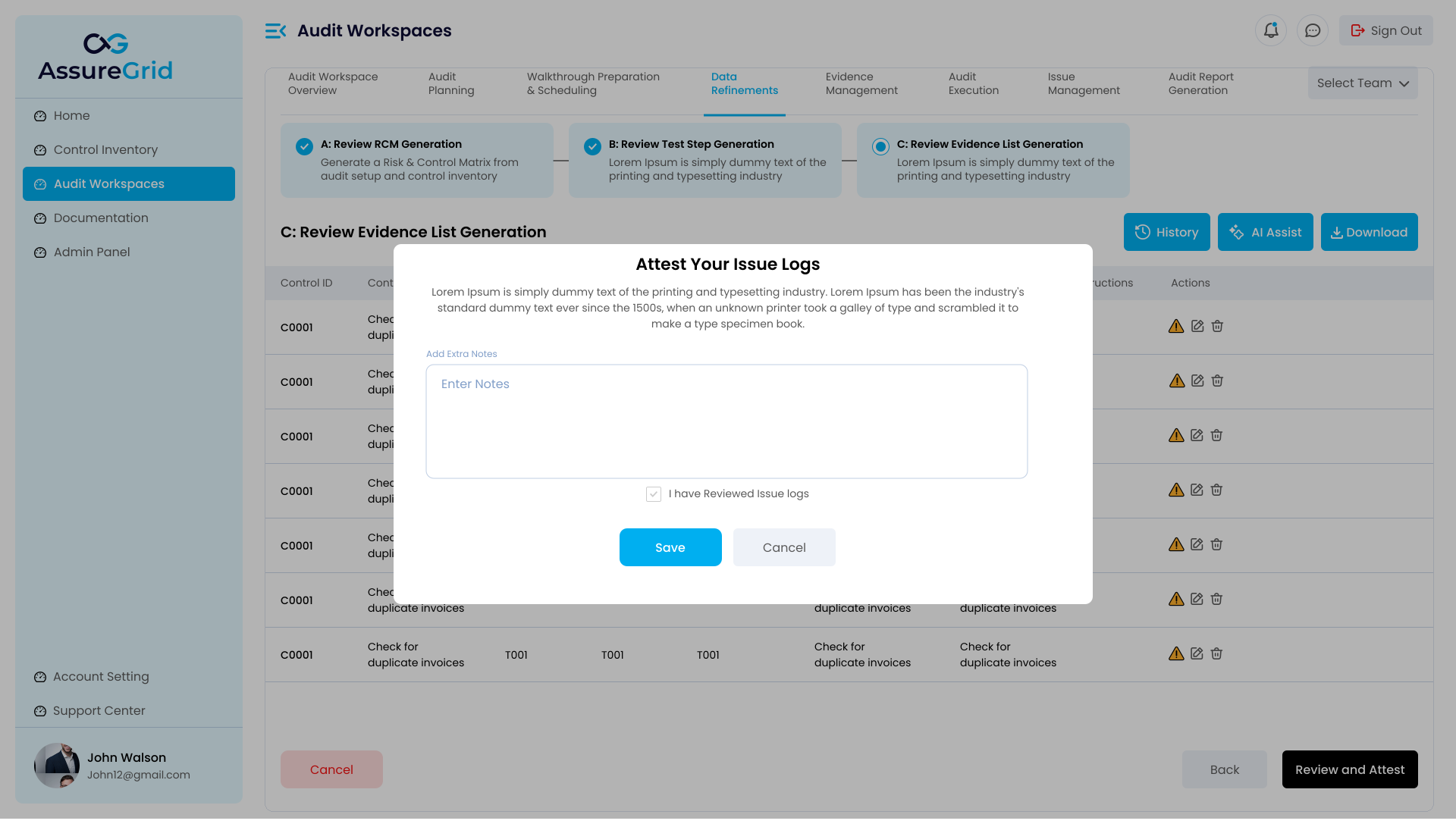
| Evidence list refinements | Updated evidence needs, acquisition guidance, or support requests based on what was learned during walkthrough discussion. |
Original versus suggested review model
The refinement experience is designed around side-by-side or equivalent structured comparison. Users review the current version of a planning artifact and the AI-suggested version generated from walkthrough inputs. From there, the reviewer can keep the original, accept the suggested update, or move to manual editing when a partial adjustment is more appropriate than a full replacement.
Common actions in Data Refinements
| Action | Description |
|---|---|
| Review | Inspect the current and suggested content together to understand what changed and why. |
| Accept | Approve the suggested update and carry the revised content forward into the planning package. |
| Reject / Keep Original | Decline the suggestion and retain the existing planning content unchanged. |
| Manual edit | Modify the content directly when the reviewer wants to incorporate part of the suggestion while keeping tighter editorial control. |
| Save & Next | Commit the reviewed outcome for the current refinement area and proceed to the next stage in sequence. |
Refinement flow by stage
Users typically work through refinement areas in sequence. RCM refinements are reviewed first because the matrix remains the structural base for downstream planning artifacts. Test step refinements are reviewed next so execution procedures align with the updated control understanding. Evidence list refinements are then reviewed to ensure the support requested later in the audit reflects the refined control and testing design.
Manual edit versus AI suggestion acceptance
-
Use Accept when the suggestion is accurate, complete, and ready to replace the original with minimal reviewer intervention.
-
Use Keep Original when the walkthrough did not materially change the control understanding or when the suggestion is not appropriate.
-
Use Manual Edit when the suggestion is directionally helpful but needs user judgment, additional wording, or selective incorporation before it should be saved.
Multiple walkthrough calls and refinement order
A workspace may include multiple walkthrough calls, but the refinement process should still be managed in an orderly sequence. Users should confirm that the relevant session has been processed and that the suggestions being reviewed correspond to the correct walkthrough context before approving changes. This helps prevent overlapping or out-of-order updates from weakening the audit trail.
What to validate before saving changes
-
The suggested change reflects what was actually discussed in the walkthrough.
-
The update improves the planning artifact rather than making it broader, weaker, or less testable.
-
Accepted changes remain consistent with the overall audit scope and control taxonomy.
-
Any manual edits preserve clarity, reviewer defensibility, and downstream usability.
-
The correct refinement stage has been reviewed before moving forward.
Best practice: Treat Data Refinements as a reviewer-control checkpoint, not an auto-update step. The strongest audit record comes from using AI suggestions to accelerate review while keeping final editorial and approval decisions with the audit team.