Workpaper generation
How AssureGrid assembles audit-ready workpapers from planning, walkthrough, evidence, and reviewer input.
The Workpaper Generation module creates structured audit documentation that records what was tested, why it was tested, what evidence was reviewed, what procedures were performed, the results obtained, and the final conclusion reached. It is designed to give auditors and reviewers a clear, defensible record of the work performed during audit execution.
Overview
In AssureGrid, workpapers are not treated as isolated documents created at the end of the process. Instead, they are generated from data already collected during earlier audit stages. Planning outputs define the control and test context, walkthrough information adds operational understanding, and evidence management provides the underlying artifacts used to support testing.
This approach helps standardize workpaper quality across audits while reducing manual preparation effort. The module gives users a consolidated view of control-level execution status, draft observations, reviewer input, and attestation steps so the workpaper can move from generated draft to finalized audit support.
What the module captures
- What was tested, including the control or audit procedure in scope.
- Why it was tested, including the risk or audit rationale connected to the procedure.
- What evidence was reviewed, including linked documents or control-folder materials.
- What procedures were performed, including the specific test steps executed by the auditor.
- What the results were, including exceptions, observations, and draft conclusions.
- What conclusion was reached, including the final reviewer-supported outcome.
- Pulls structured inputs forward from planning and walkthrough stages.
- Associates supporting evidence from the relevant control folders.
- Surfaces review comments and attestation status in the execution workflow.
- Tracks whether a workpaper is in draft, in progress, under review, or approved.
- Supports reviewer coordination before final attestation.
Module workflow
The Workpaper Generation experience is anchored in the Audit Execution stage. Users typically begin from a control-level execution grid, review generation and testing status, inspect draft observations, coordinate with reviewers, and then attest the final workpaper package once the documentation is complete.
| Stage | What the user does | Why it matters |
|---|---|---|
| 1 | Open the Audit Execution grid and review control-level entries. | Provides the execution starting point and current testing context. |
| 2 | Open or monitor workpaper generation for specific controls. | Confirms whether a draft has been generated and whether further work is needed. |
| 3 | Review comments, observations, and reviewer feedback. | Ensures the workpaper reflects challenges, findings, and quality feedback. |
| 4 | Complete attestation after final review. | Creates an explicit sign-off checkpoint before the workpaper is treated as complete. |
| 5 | Open the detailed workpaper view for the finished package. | Shows the assembled narrative, testing outcomes, and supporting structure. |
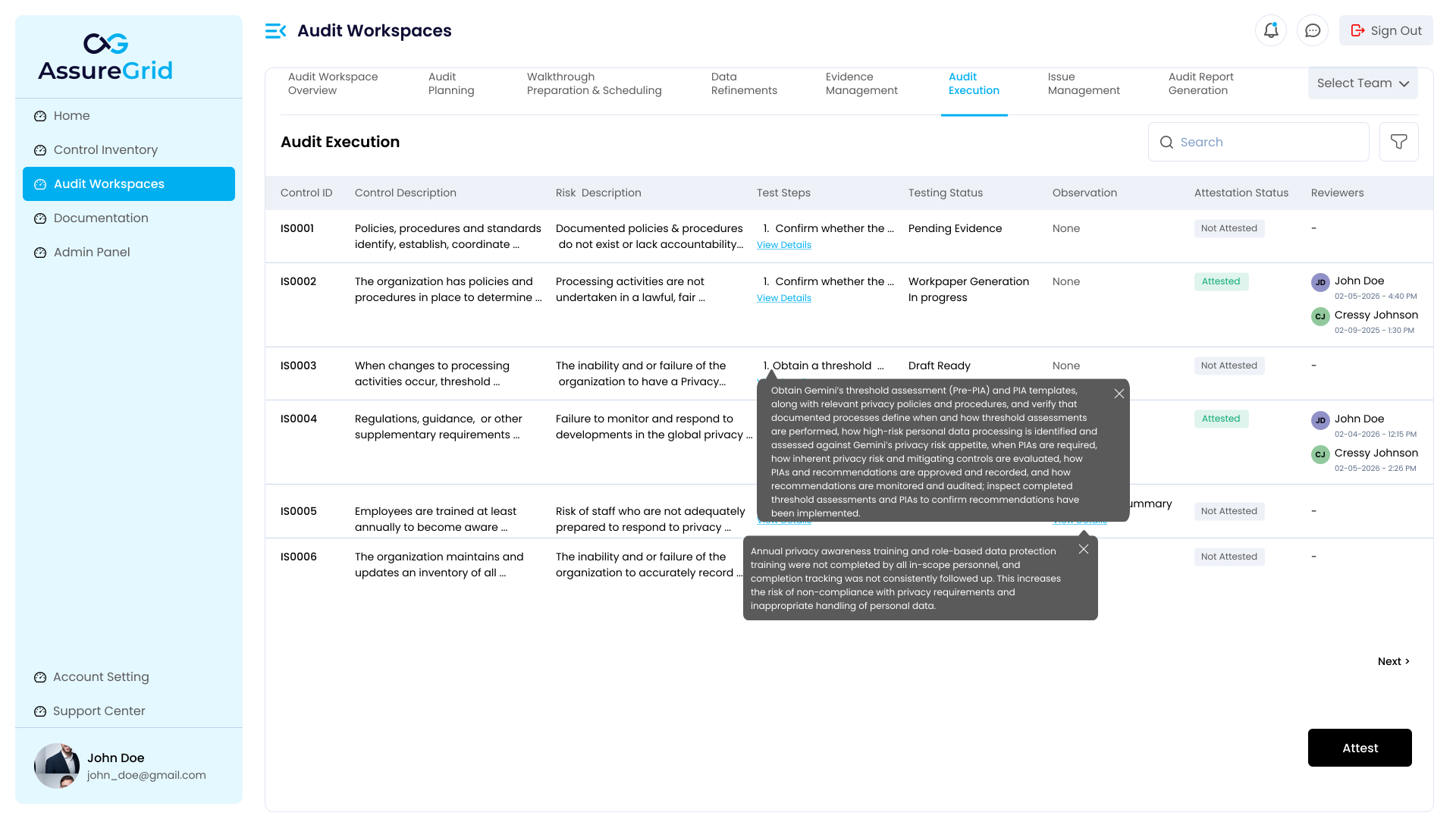
1. Audit Execution grid and control-level tracking
The execution grid gives users a working list of controls, descriptions, related risks, test steps, testing status, observations, attestation status, and reviewer assignments. This is the operational view from which users assess which controls are ready for workpaper generation and which still require testing, evidence, or review.
From this view, auditors can quickly identify the state of each control and decide where to focus. Controls that remain blocked by missing evidence or incomplete testing can be addressed before final workpaper completion.
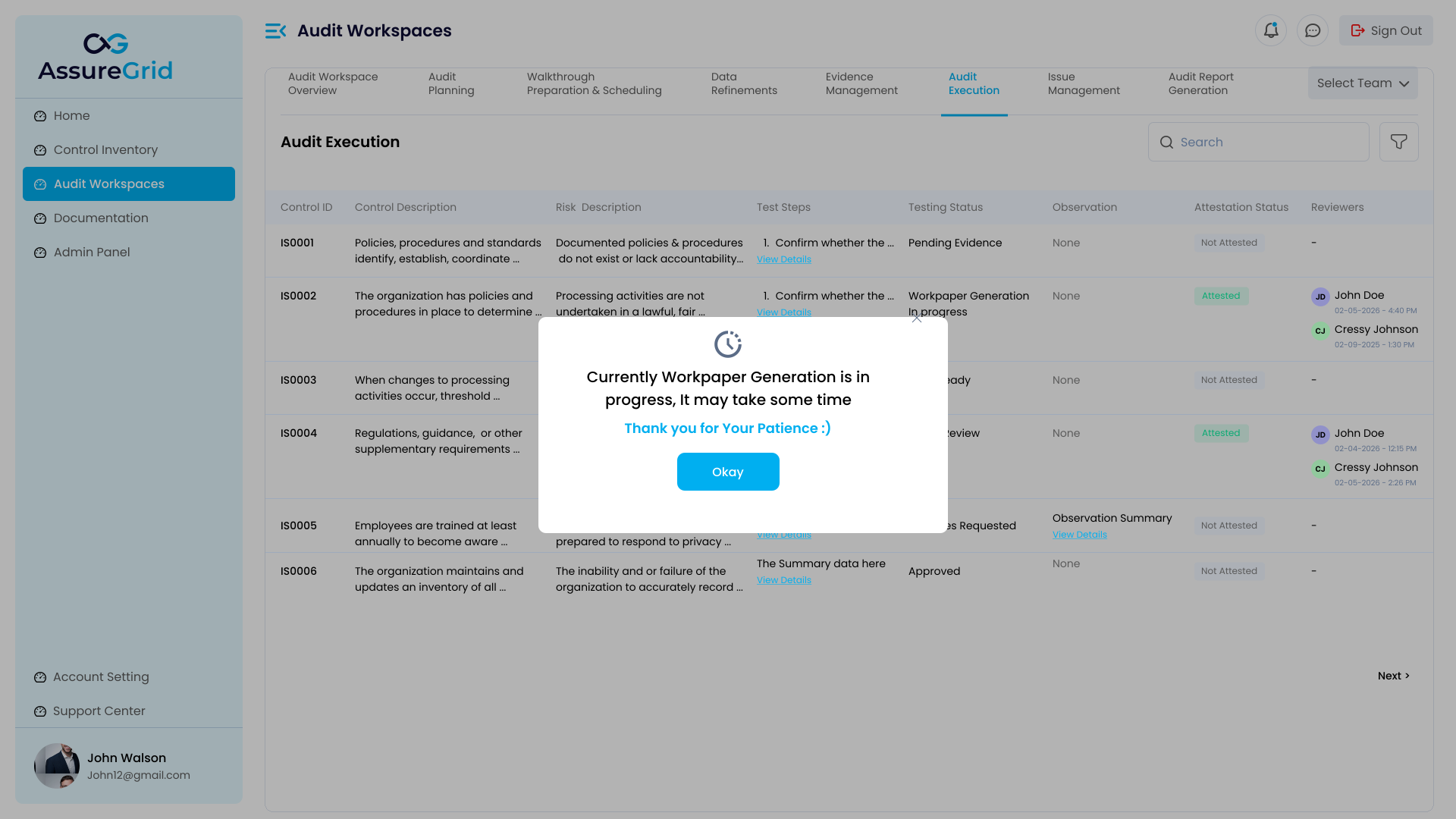
2. Monitoring generation progress
When a workpaper is being assembled, AssureGrid can surface an in-progress state so users know the package is still being prepared. This is useful when multiple control workpapers are being produced or refreshed in parallel.
Users should wait for completion before relying on the document for attestation or downstream issue and reporting workflows.
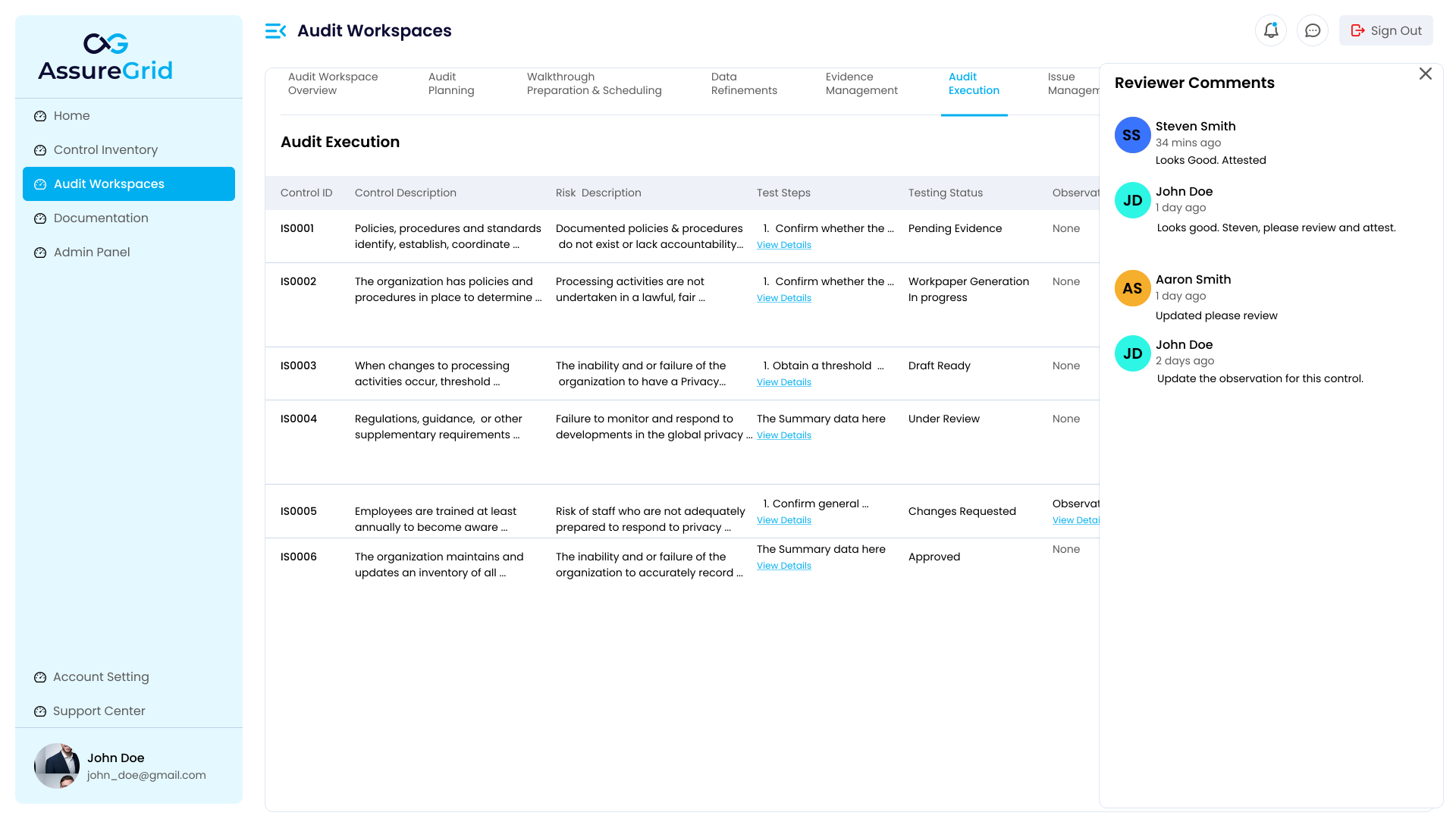
3. Reviewer comments and collaborative review
Reviewer participation is a core part of workpaper quality. AssureGrid surfaces reviewer comments alongside the execution data so auditors can see requested changes, clarifications, and review observations without leaving the workflow.
This helps create a traceable review loop. Comments can be used to refine observations, update supporting narrative, validate evidence alignment, or confirm whether a control is ready to move from draft to approved status.
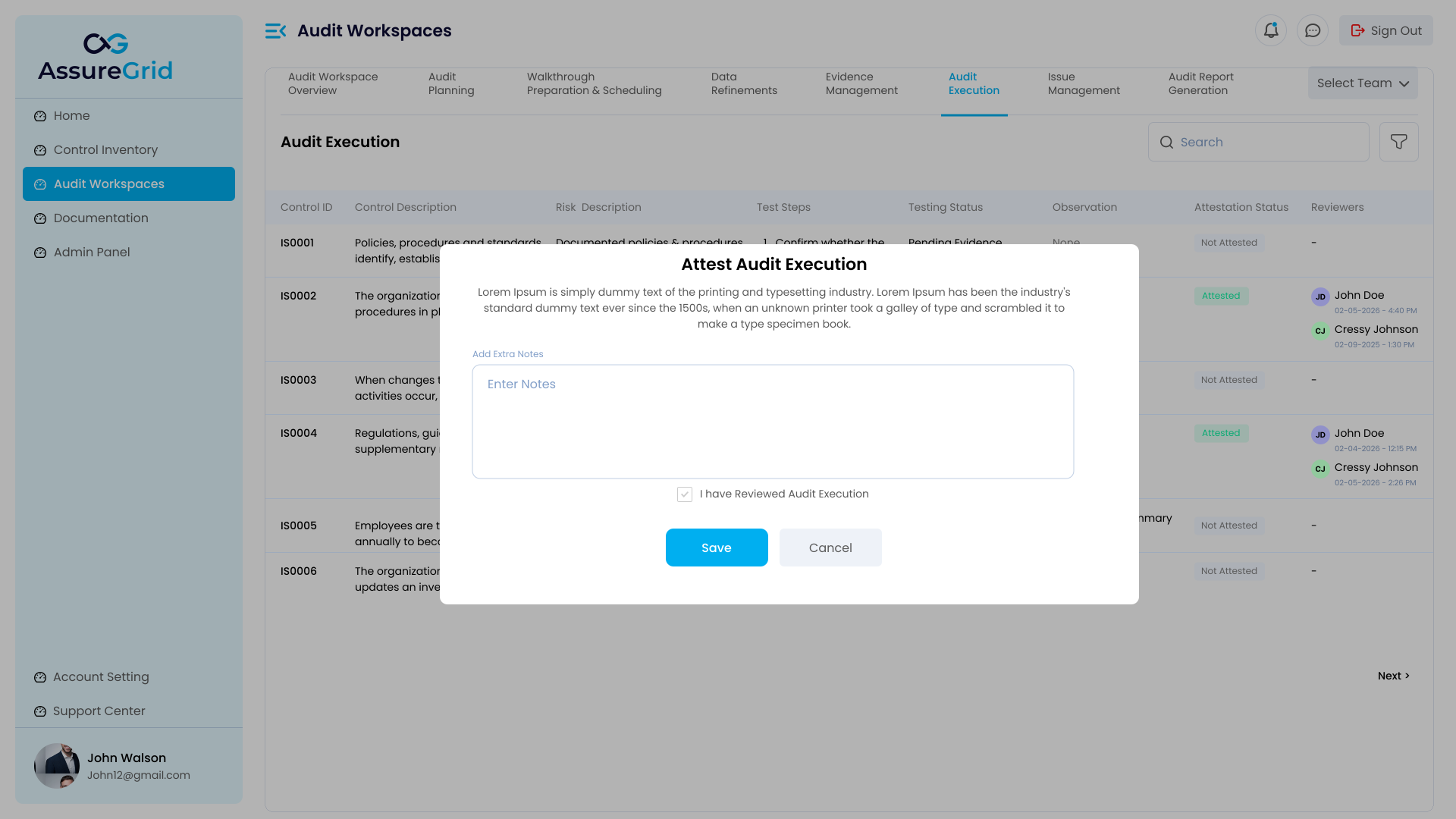
4. Attestation and final confirmation
Before the workpaper is treated as finalized, the module presents an attestation step. This is where the user confirms that the audit execution documentation has been reviewed and is ready to be preserved as part of the audit record.
The attestation modal supports optional notes and an explicit confirmation action. This reinforces that approval of the workpaper remains a user decision rather than an automatic outcome of document generation.
Important control point Generation does not equal approval. Even if the platform has assembled a workpaper draft, users should review the evidence linkage, procedures performed, observations, and conclusion before attesting the result.
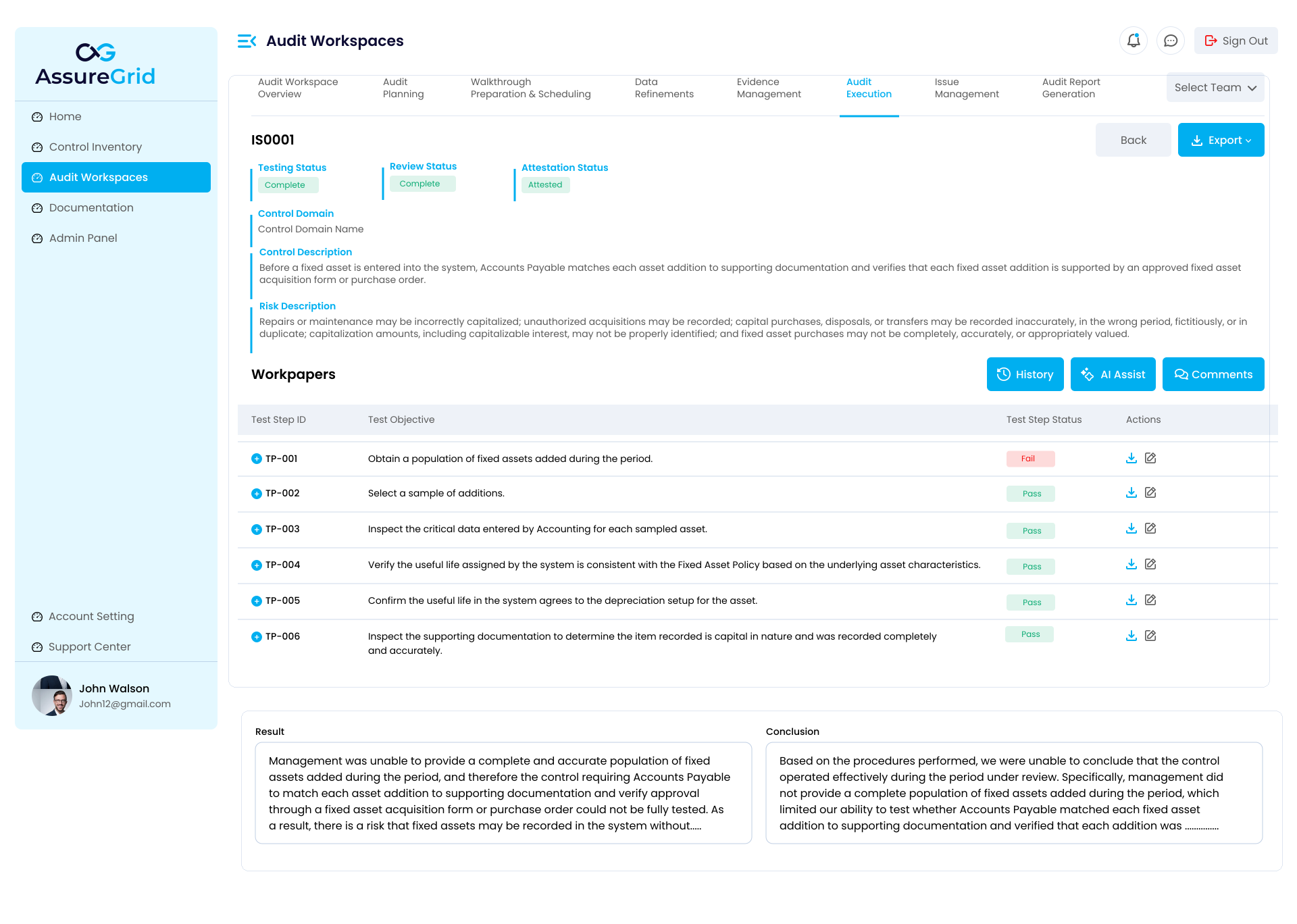
5. Detailed workpaper view
Once generated, the detailed workpaper page gives users a fuller representation of the audit package for the selected control. This view typically includes a summary area, workpaper listing, structured narratives, and action controls such as download, share, or attest.
This is the most complete expression of the module's purpose: it combines the context inherited from planning and walkthroughs with the execution evidence and resulting conclusion so the work performed is understandable and reviewable end to end.
Recommended user workflow
-
Confirm the control, risk, and test-step context is correct before relying on the generated workpaper.
-
Verify that all required evidence has been collected or attached to the correct control folders.
-
Review draft observations and ensure they accurately reflect the testing performed.
-
Address reviewer comments before attesting the workpaper package.
-
Use attestation only after the final narrative, results, and conclusion are aligned with the executed audit work.